Mastering Angular Basics
In this blog, we will understand the Core Concepts of Angular

What is Angular?
- A framework designed for building client-side using TypeScript
- It’s used for building dynamic, single-page applications (SPAs)
What are single-page applications?
- It is a web application implementation that loads a single web document and then updates the content of its body as the user interacts with the application.
Component
- It is a fundamental building block of an application. (every Angular application has at least one Root component).
They encapsulate a unit of functionality, including HTML, CSS, and TypeScript logic.
app.component.ts: TypeScript file that contains the logic for the root/app component.app.component.html: HTML template file that defines the structure and content of the app component's view.app.component.css: CSS stylesheet file that contains the styles for the app component's appearance.- Components are reusable
- A component includes a TypeScript class that has a
@Component()decorator. This decorator provides metadata to Angular about how the component should be treated, including its selector, template, and styles.
The decorator takes an object with the following properties:
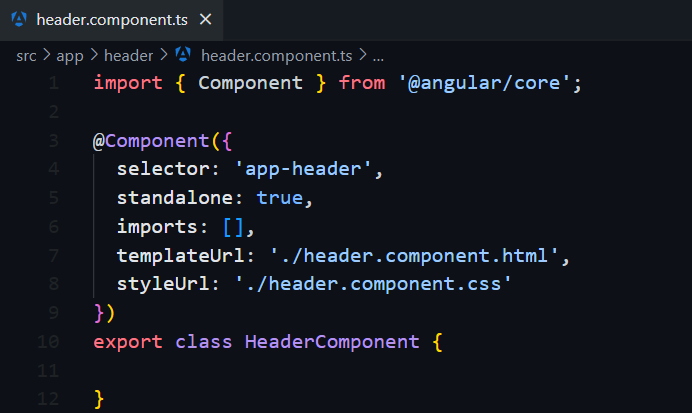
- Selector: This is how you reference the component in your template HTML
- Standalone: If true, the component can be used without being declared in a module
- Imports: An array of modules that the component depends on
- templateUrl: the URL of the HTML template for the component
- styleUrl: the URL of the CSS stylesheets for the component
Creating a Component in Angular
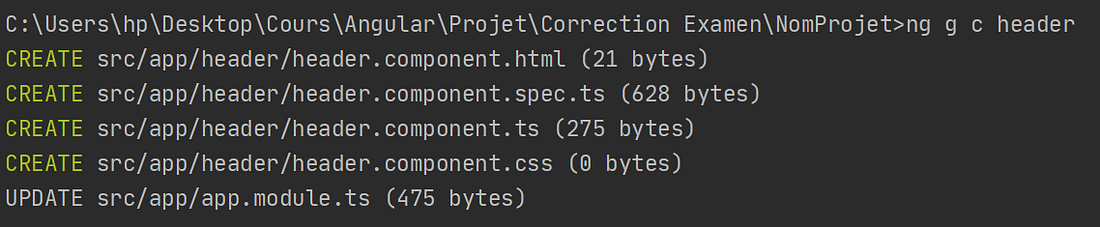
Using ng generate component or ng g c command
The terminal output should be :
Modules
- Small pieces of code with independent program functionalities
- We Create the Angular Modules by decorating them with the ngModule decorator @NgModule.
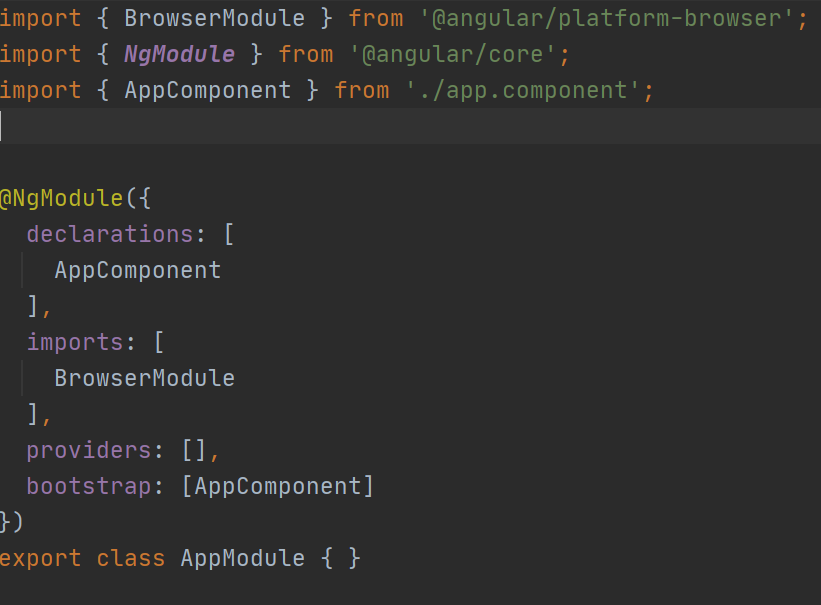
- The types of modules available in Angular include root, core, shared, and feature modules.
Root module: the main module in an Angular application. It is generated by the Angular CLI as AppModule and bootstrapped when the application starts.Core module: contains components that are used once in an Angular application, such as a navigation bar, loader, footer, etc.
Shared module: directives, pipes, and components that can be reused in feature modules.
Feature modules: encapsulate a specific feature or functionality within your application
Diving into NgModule Properties :
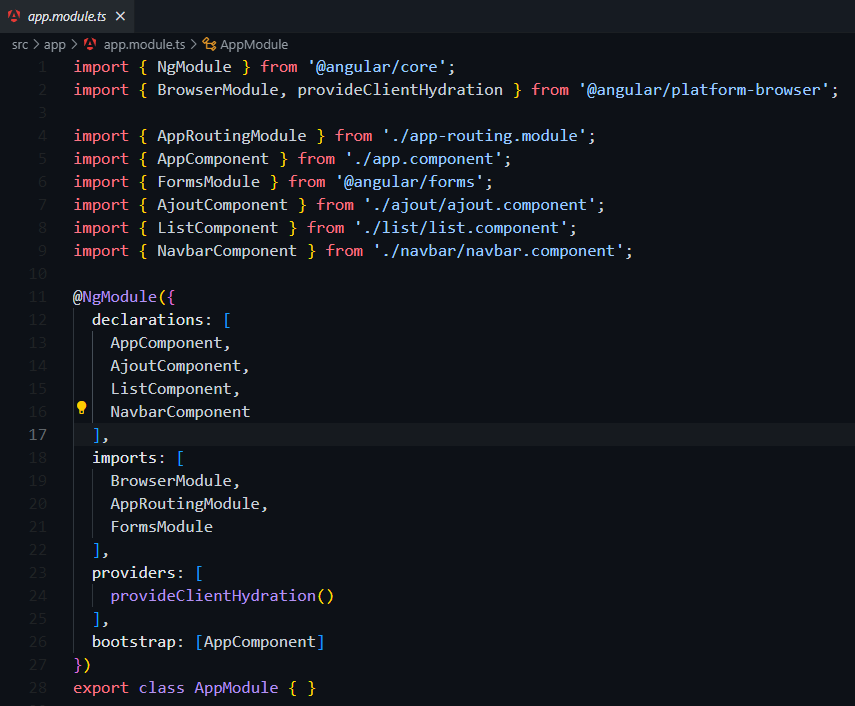
- declarations: This is where components, directives, and pipes that belong to this NgModule are declared.
- imports: If you want this ngModule to require any feature or functionality
- providers: are for Services that are available for injection in the entire application
- bootstrap: The main component of this module, which needs to be loaded when the module is loaded
Creating a Module in Angular
Using ng generate module or ng g m command
The terminal output should be :

Databinding in Angular
is a powerful data communication mechanism between the TypeScript code and HTML template for a component.
We have 4 types of Data Binding in Angular
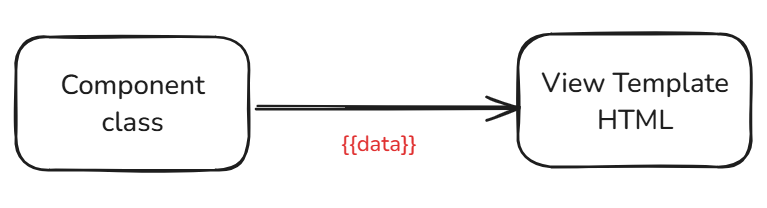
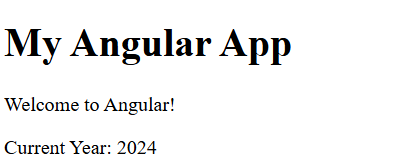
- Interpolation
bind data from the component class to view template


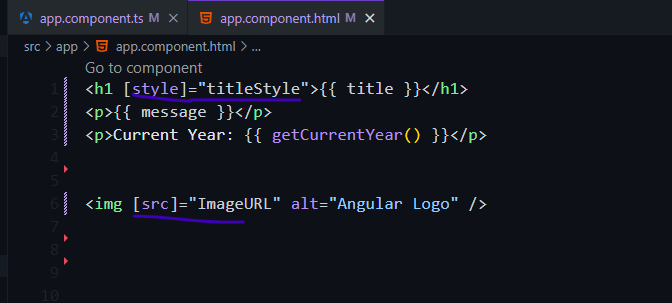
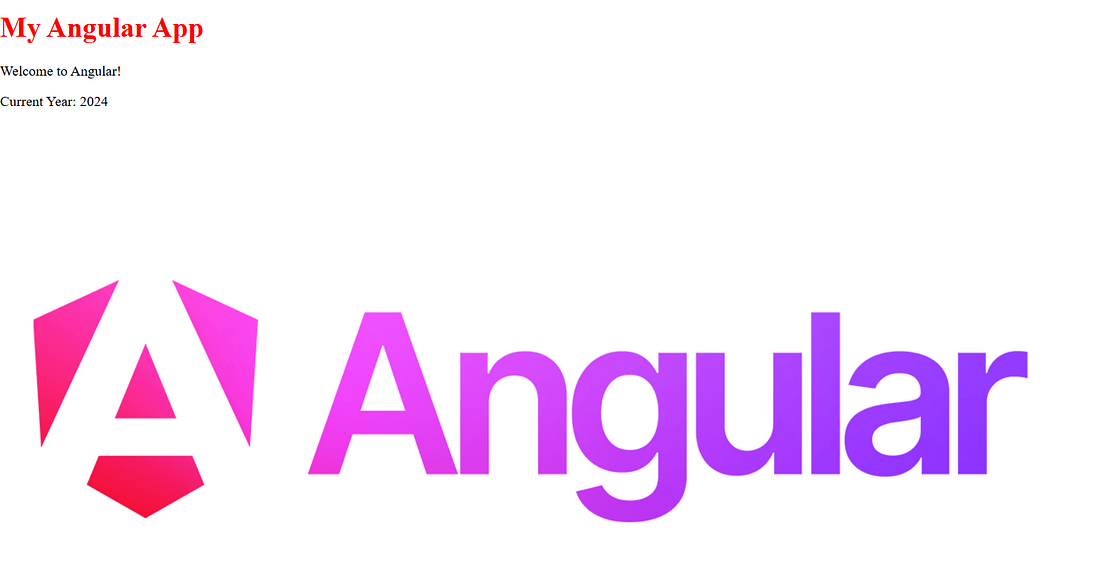
2. Property binding
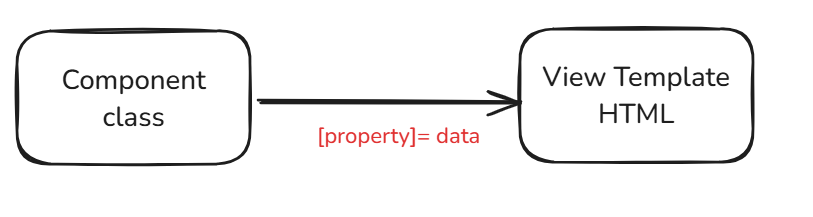
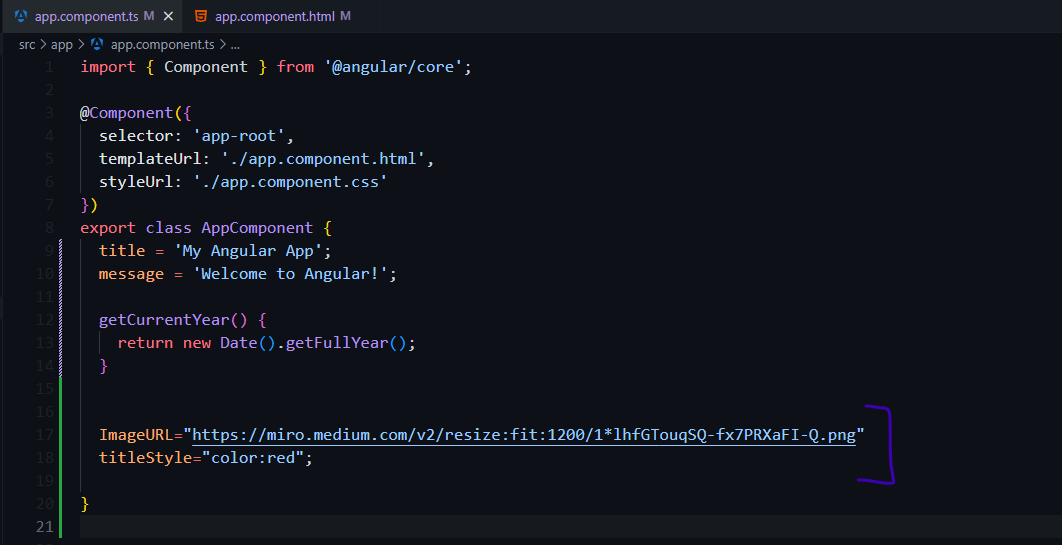
bind the property of an HTML element to the component
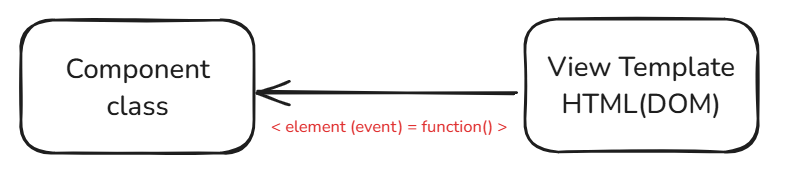
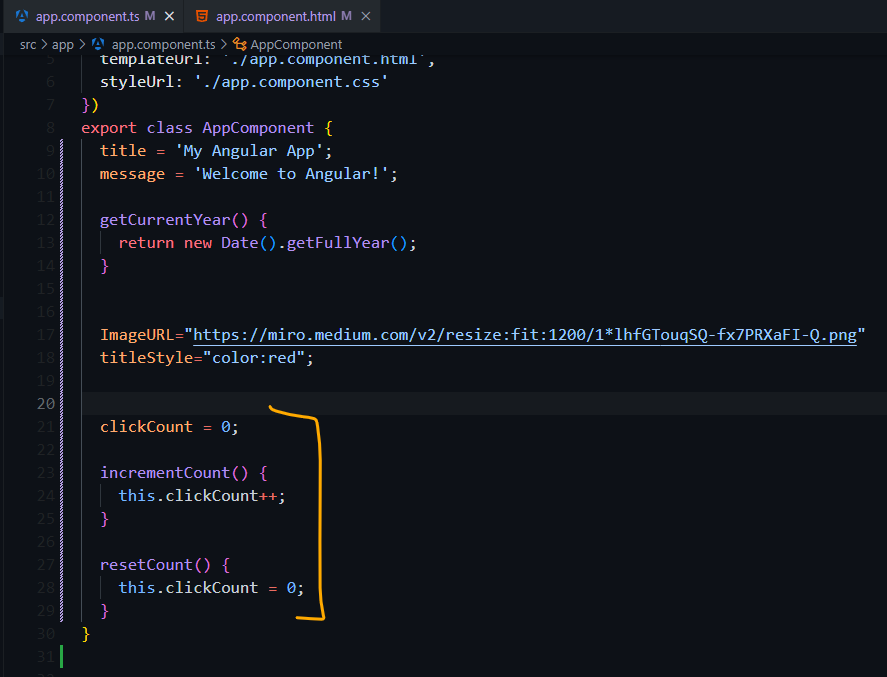
3. Event binding
bind data from DOM to the component
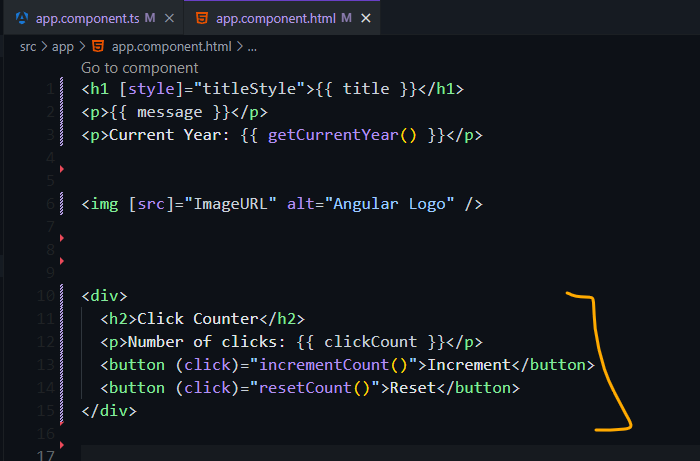
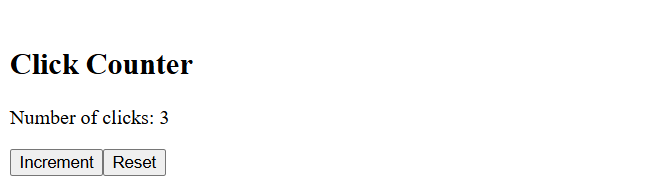
4. Two way data binding
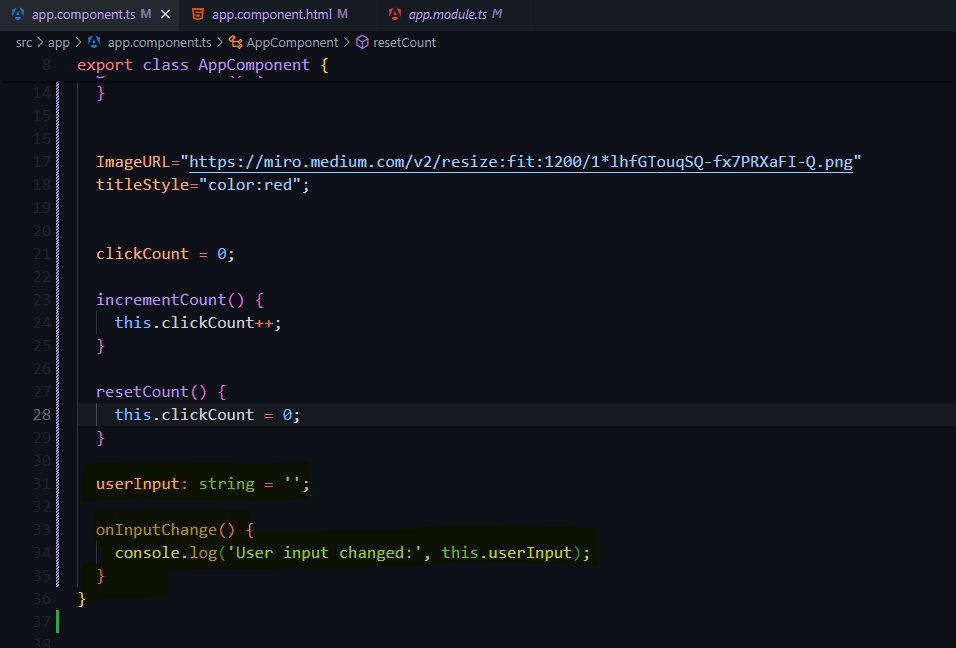
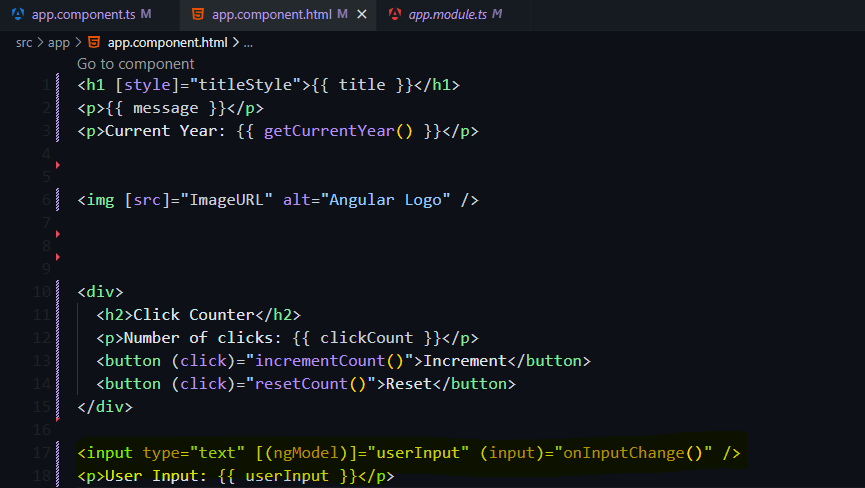
It is used to have a bidirectional data flow between HTML and TypeScript( event binding + property binding)
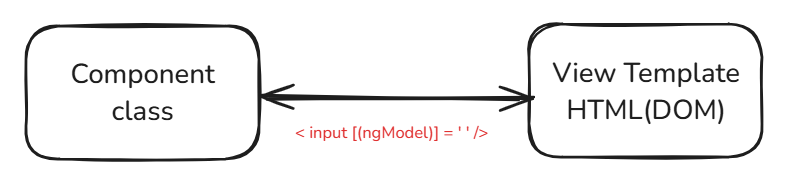
- First, you need to add
FormsModuleto theimportsarray
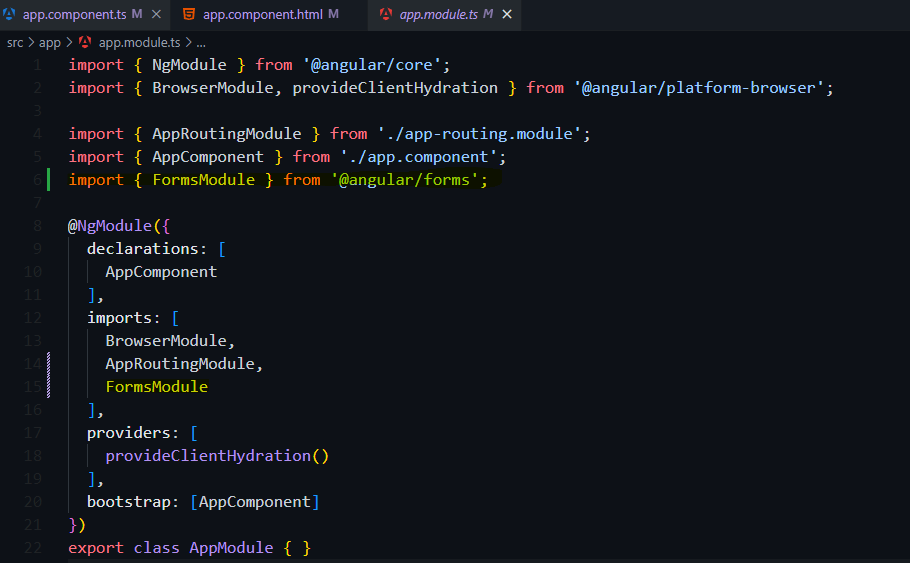
FormsModule- In your template, use the
[(ngModel)]syntax to bind the input element to a component property.

Directives
Directives in Angular are attributes that can be placed on an HTML element to add behaviors or features to create dynamic, interactive user interfaces.
There are two types of directives:
- Structural Directives: change the DOM by adding and removing
elements to the template.
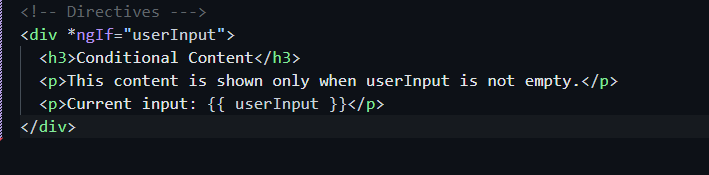
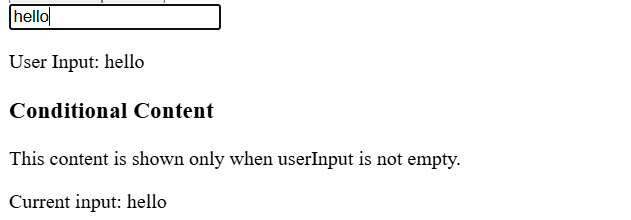
ngIf: allows you to delete or recreate an HTML element based on a condition
Example:
ngFor: is used to repeat an HTML element, to iterate an operation more than once
Example:
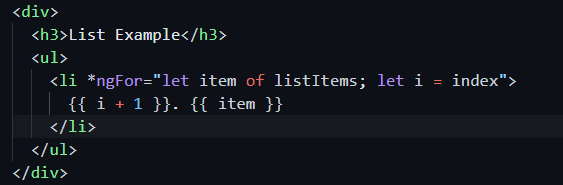
add this line of code to the app.component.ts
listItems: string[] = ['Item 1', 'Item 2', 'Item 3'];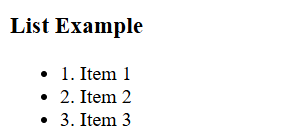
ngSwitch: allows you to choose between several HTML elements elements based on a condition.
Example:
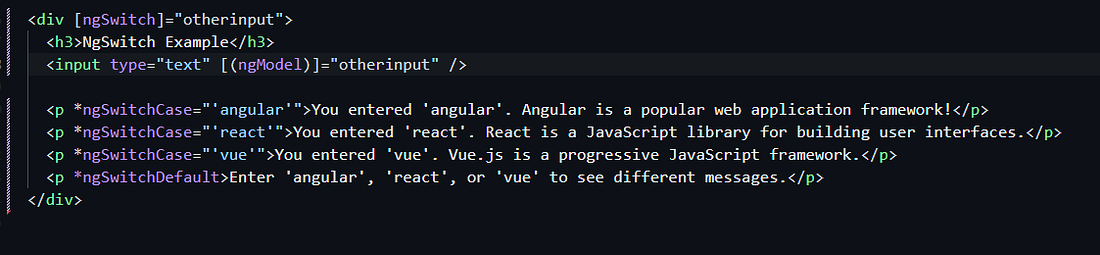
add this line of code to the app.component.ts
otherinput : string = "";
2. Attribute Directives: change the appearance and attitude of a DOM element, component, or other directive such as NgStyle, NgClass, NgModel
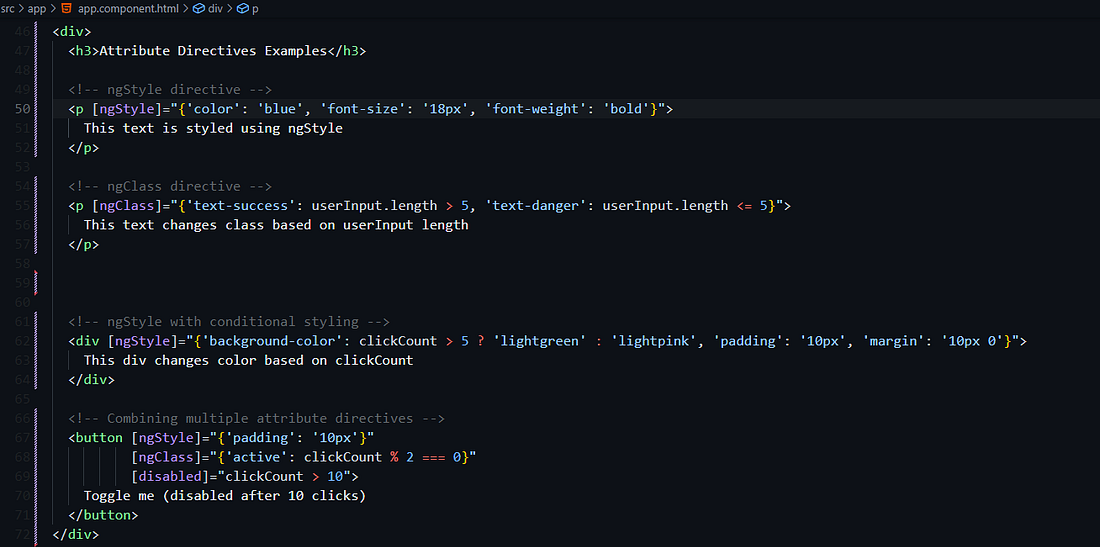
3. Custom Directives: are created by developers to meet the specific needs of their application
To make custom directives follow these steps :
- ng generate directive Nom_de_la_directive
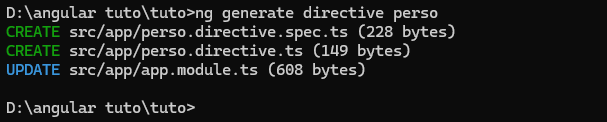
2. Let’s start by modifying the PersoDirective:
import { Directive, ElementRef, HostListener, Input, OnInit } from '@angular/core';

@Directive({
  selector: '[appPerso]'
})
export class PersoDirective implements OnInit {
  @Input() appPerso: string = 'yellow';
  private originalColor: string;

  constructor(private el: ElementRef) {
    this.originalColor = this.el.nativeElement.style.backgroundColor || 'transparent';
  }

  ngOnInit() {
    // Ensure the input color is set, defaulting to yellow if not provided
    this.appPerso = this.appPerso || 'yellow';
  }

  @HostListener('mouseenter') onMouseEnter() {
    this.highlight(this.appPerso);
  }

  @HostListener('mouseleave') onMouseLeave() {
    this.highlight(this.originalColor);
  }

  private highlight(color: string) {
    this.el.nativeElement.style.backgroundColor = color;
  }
}
Now, let’s update the AppComponent template to use this directive:
<div>
  <h3>Custom Directive Example</h3>
  <p appPerso>Hover over me to see the default yellow background!</p>
  <p appPerso="lightblue">Hover over me to see a light blue background!</p>
</div>
Finally, let’s update the AppComponent class to import the directive:
import { PersoDirective } from './perso.directive';Pipes
are data transformation functions that can be used directly from the HTML template to transform the data to be displayed at the moment of binding.
There are two types of pipes:
- Built-in Pipes: Angular provides a set of built-in pipes that you can use : currency, number, uppercase, lowercase , json, slice…


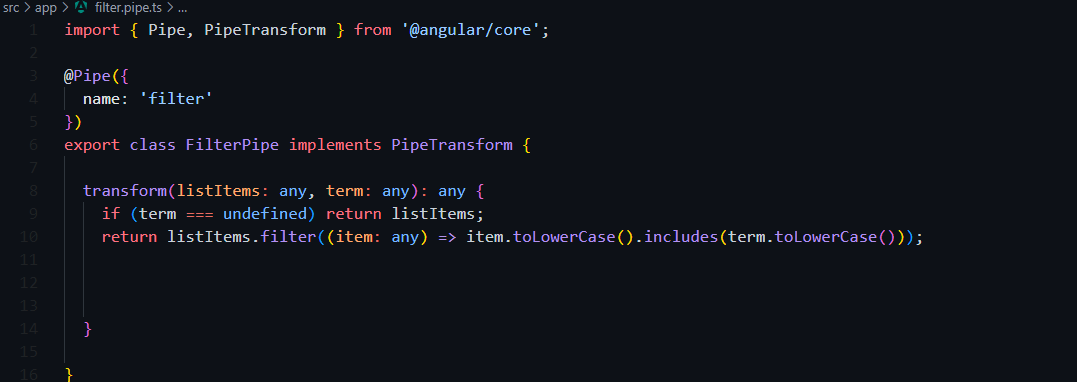
2. Custom Pipes: You can create custom pipes to perform specific transformations



Essential Resources
- Official Angular Documentation: It provides comprehensive tutorials, guides, and API references. Link
- Stack Overflow: A great place to ask questions and get help from the Angular community.
- Angular University: A website with courses for All Levels and multimedia content. Link
- Youtube Channels: Some popular ones include The Net Ninja and Traversy Media
To learn more about the implementation details, check out the GitHub repository: https://github.com/farahoumezzine/Angular-Basics.git
I hope this article is a valuable starting point for your Angular journey. Happy coding!
Comments
Post a Comment