ScrollView Vs FlatList Vs SectionList Components in “React Native”
To display the menu items on the mobile screen and to offer a good UX, users should be able to scroll up and down the menu, you can use ScrollView which will load the items immediately after the component has been loaded so all data is stored in RAM.
The ScrollView component has only one rule. It must be bounded by a height in order to work. This means we need to make sure that all the parent views have a bounded high.
An app using this component would render all items in the list at once.
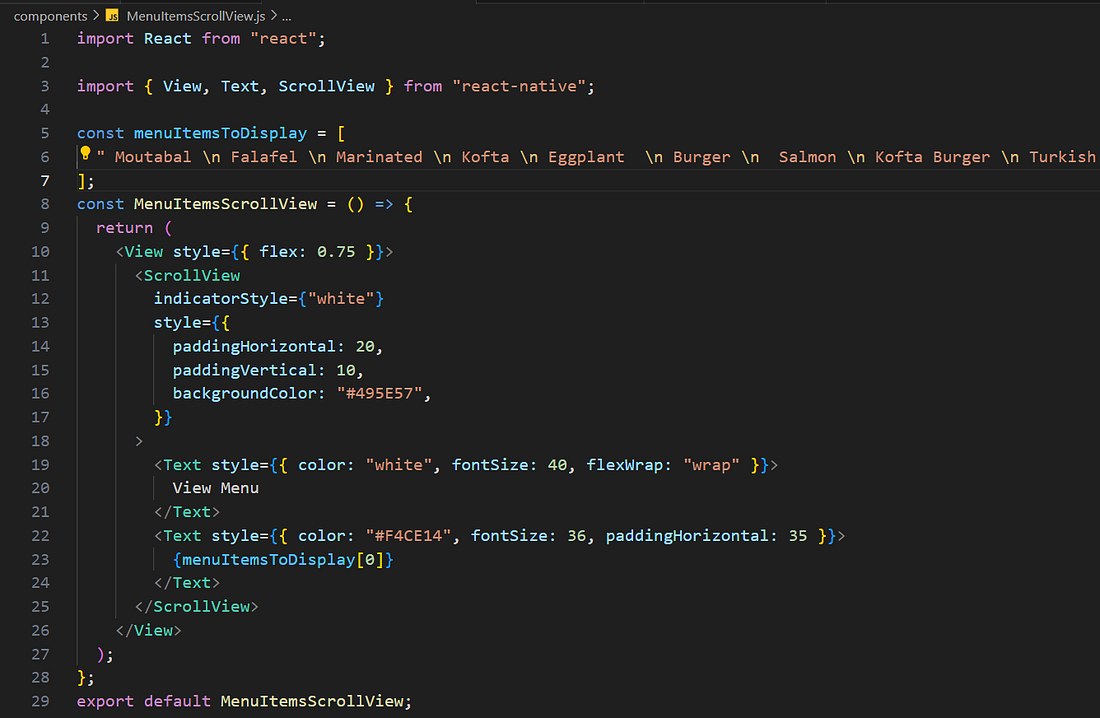
The output of the code snippet is :


The FlatList component serves as an effective tool to render a large scrollable list of items.
Employing a technique known as lazy rendering: items are rendered as the user encounters them in the app and are removed when the user scrolls away from them.
So, the FlatList renders large lists without sacrificing app performance.
This results in faster rendering and great performance, that’s the distinction between FlatList and ScrollView.
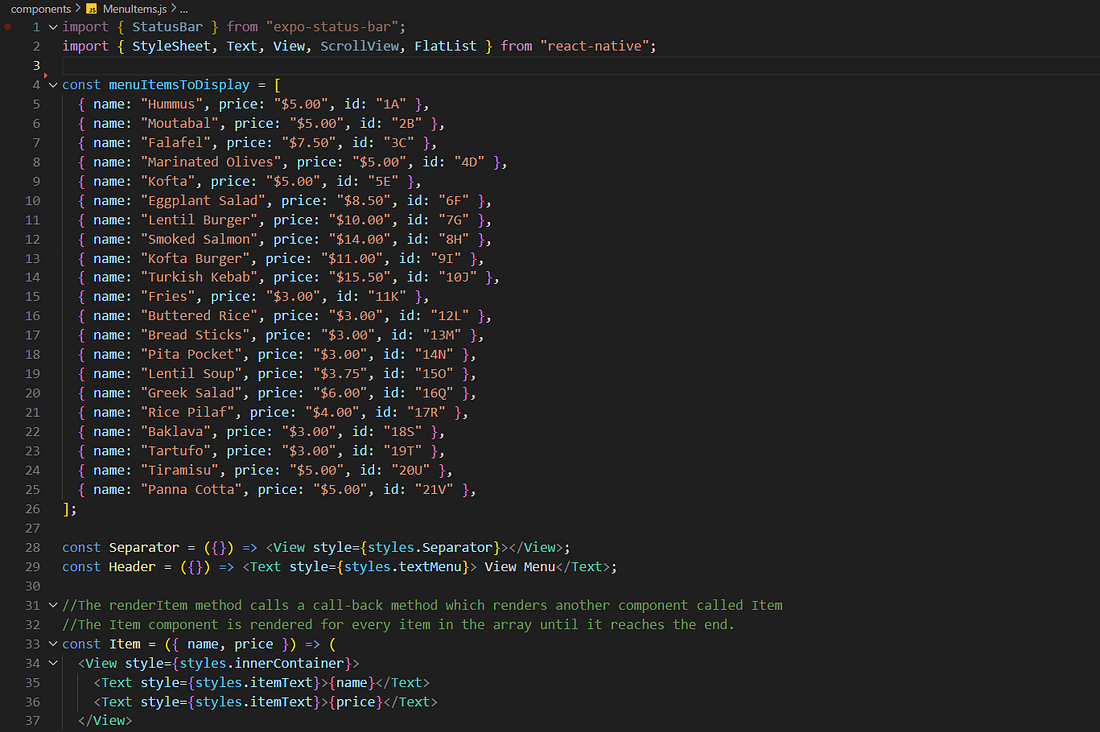
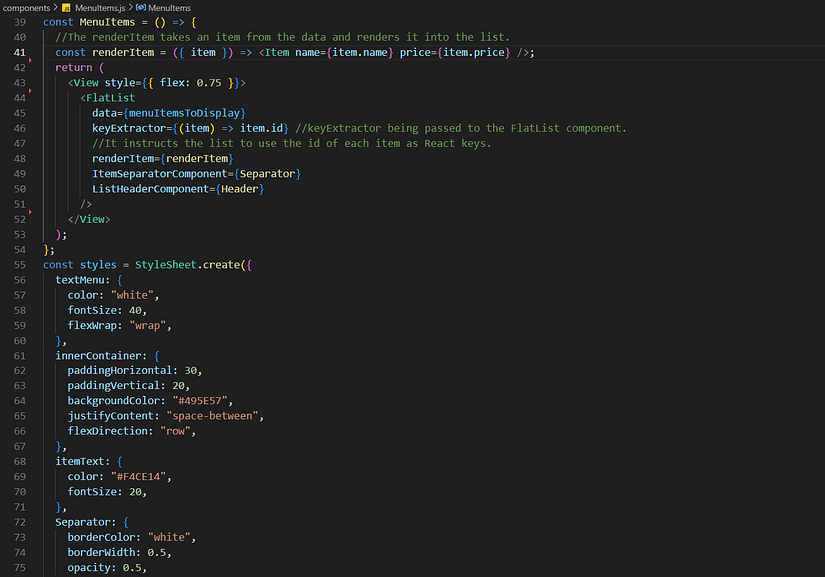
The output of the code snippet is :


Much like the FlatList component, the SectionList also renders items lazily but goes a step further for rendering large lists by sections: allowing you to split the list using headers and separators.
The current presentation of the menu consists of an undivided list, to enhance clarity and organization, you could divide the list into sections using the SectionList. Each section would have its unique header that succinctly outlines the contents within that category.
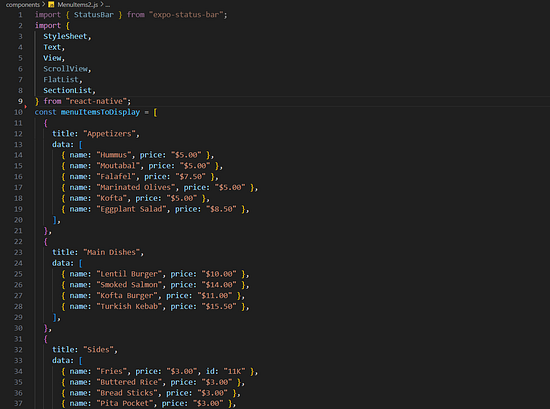
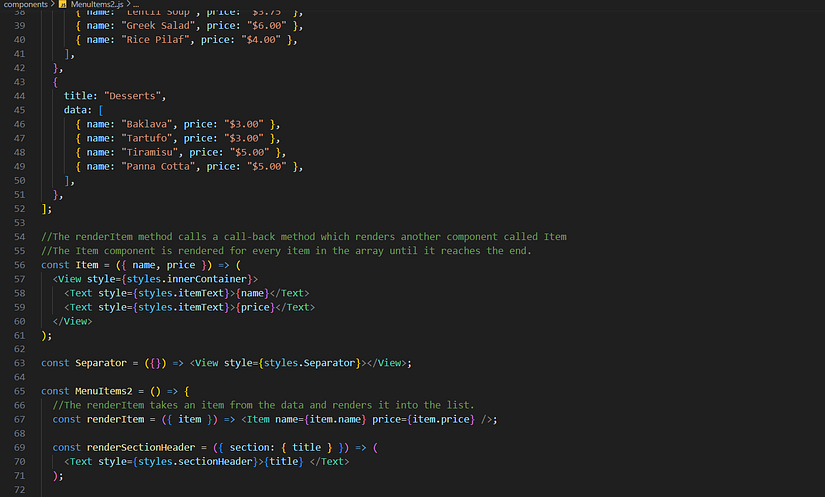
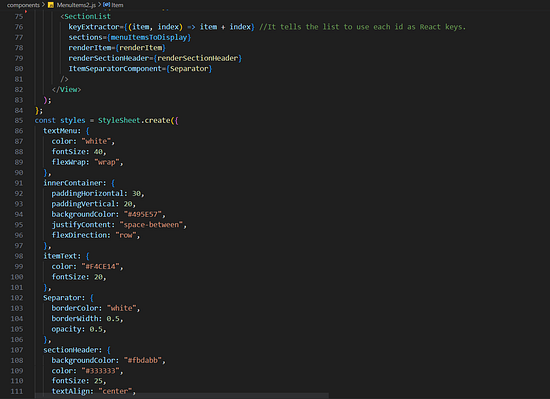
The output of the code snippet is :
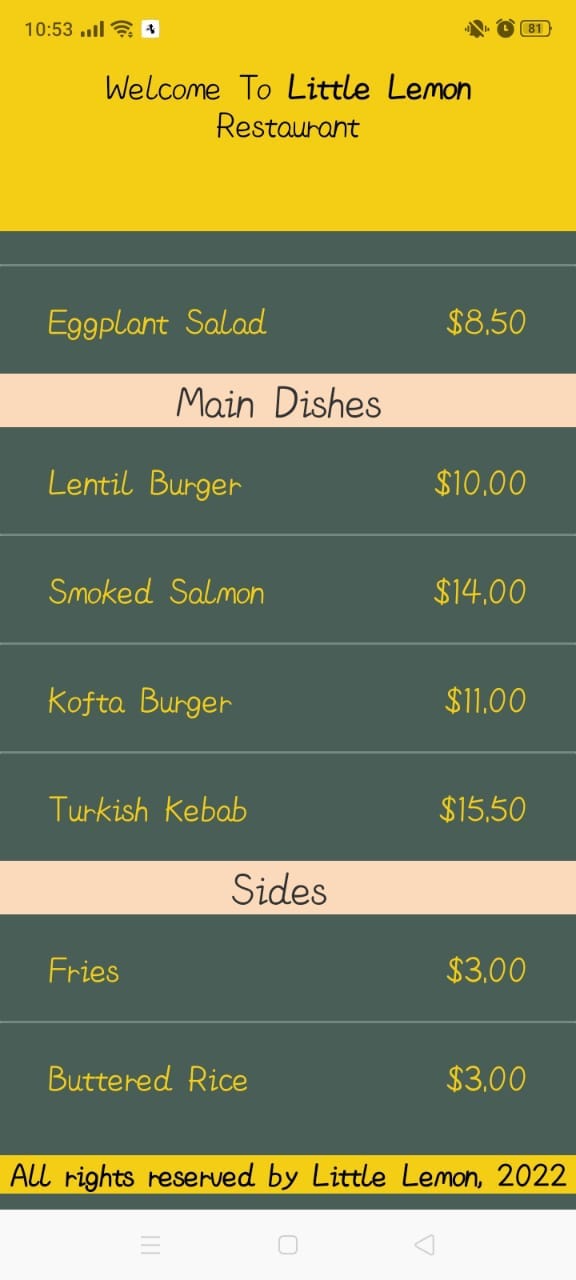
you can use these resources to discover more about these components:
ScrollView : https://reactnative.dev/docs/scrollview
FlatList : https://reactnative.dev/docs/flatlist.html
SectionList : https://reactnative.dev/docs/sectionlist
Feel free to explore the whole project code that I’m currently working on it in my GitHub repository.
https://github.com/farahoumezzine/Little-Lemon-Restaurant.git
Comments
Post a Comment